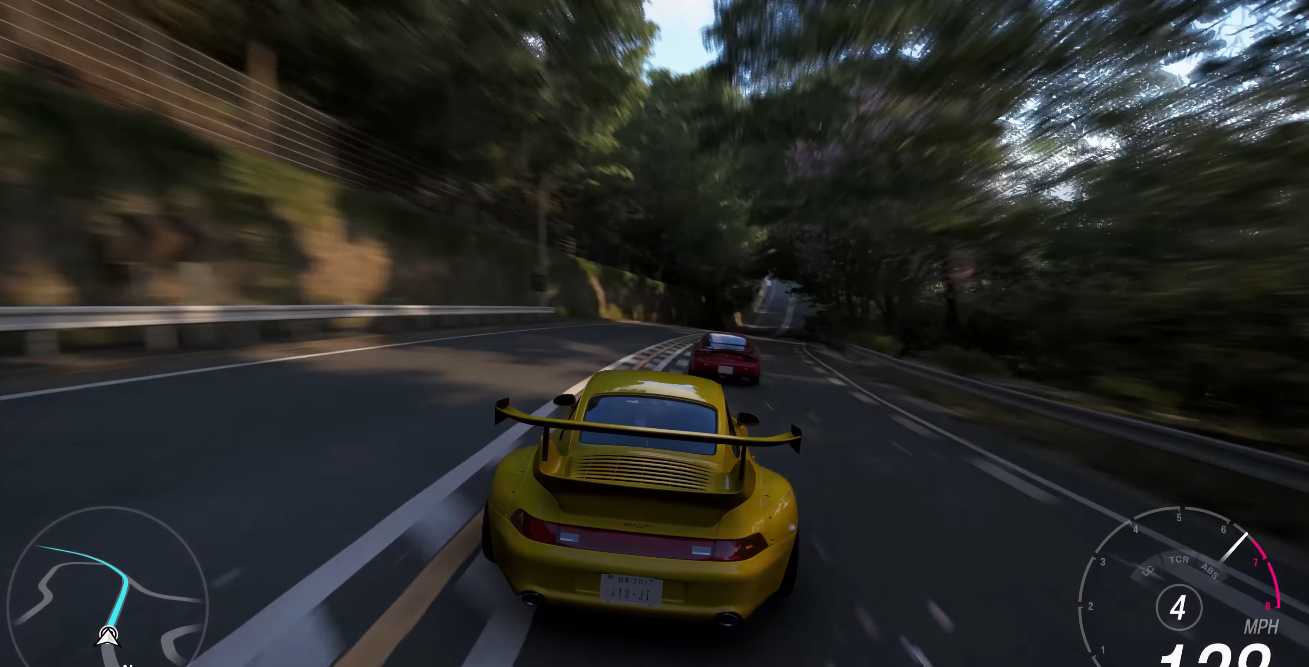

Forza Horizon 6 on PC fully supports ultrawide (21:9) and super-ultrawide (32:9) monitors, giving players a truly immersive driving experience. However, ultrawide resolutions put extra stress on your GPU, and improper settings can lead to blur, stretched HUD elements, or lower frame rates. Heres how to get the best visuals and performance for ultrawide displays.
Essential Video Resolution Settings
1. Aspect Ratio Resolution
Always choose your monitors native resolution:
- 21:9 example: 34401440
- 32:9 example: 51201440
2. Resolution Scale
Set this to 100%. Avoid Auto because it can make ultrawide images blurry.
3. Dynamic Render Quality
Match your render quality to your resolution:
- High: Ideal for 34401440
- Ultra/Extreme: For 4K-equivalent ultrawide setups
4. HUD Safe Frame
Move UI elements (minimap, speedometer, and race info) closer to the center. This prevents you from having to turn your head to see key stats on wide displays.
Graphics Performance Optimization
Ultrawide monitors require 3050% more GPU power than standard 16:9 resolutions. To maintain smooth gameplay, adjust these settings:
1. Upscaling (DLSS / FSR)
- NVIDIA RTX 50-series: DLSS 4 with Multi-Frame Generation
- AMD / NVIDIA users: FSR 4 in Quality mode
This improves FPS with minimal impact on image quality.
2. Ray Tracing (RT)
Forza Horizon 6 introduces Ray-Traced Global Illumination (RTGI). If your FPS drops:
- Prioritize RTGI over RT Reflections for the most noticeable lighting improvements.
3. Motion Blur
Wide screens exaggerate peripheral motion. Many ultrawide players prefer Short or Off to reduce motion sickness or headaches.
4. Other Tweaks
- Shadows: Medium/High depending on GPU
- Reflections: High for cars, but RT can be disabled if FPS is low
- Ambient Occlusion: High for realism, lower if needed
Hardware Recommendations for Ultrawide
1440p Ultrawide @ 60 FPS:
- NVIDIA RTX 3060 Ti or AMD RX 6700 XT
- 16 GB RAM
4K Ultrawide / Extreme Settings:
- NVIDIA RTX 4070 Ti or AMD RX 7900 XT
- 24 GB+ RAM
Note on Menus:
Menus and cutscenes may still display in 16:9 with black bars (pillarboxing), even if gameplay is full ultrawide. This is normal for the series.
Quick Summary
- Use native ultrawide resolution with 100% scale
- Adjust Dynamic Render Quality to match your monitor
- Enable DLSS 4 / FSR 4 for FPS boosts
- Prefer RTGI over RT Reflections if using Ray Tracing
- Adjust HUD Safe Frame to centralize UI
- Consider turning motion blur off for comfort on wide screens
Following these settings ensures Forza Horizon 6 looks stunning and runs smoothly on ultrawide monitors while keeping your gameplay immersive and enjoyable.